The Finisher.
Get my free previewFree preview

 Your diary

Move or cancel a booking

Move a booking to a new time or cancel it, and the client is told for you.
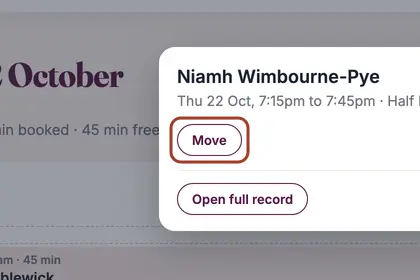
  1. Step 1: In your Diary, tap the booking. A panel opens over the diary. Press Move.

    In your Diary, tap the booking, then press "Move".
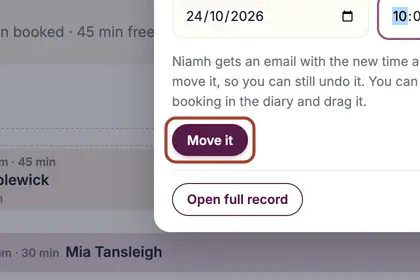
  2. Step 2: Choose the new date and time, then press Move it. The client is emailed the new time a few minutes later.

    Choose the new date and time, then press "Move it".
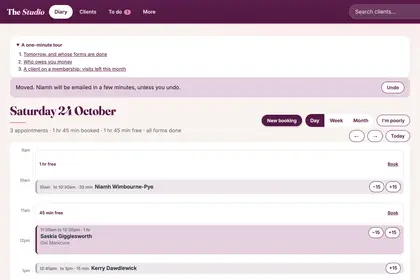
  3. Step 3: Your Diary says Moved and offers Undo. The client is emailed the new time a few minutes later, so an Undo sends them nothing.

    The diary says Moved and offers "Undo". The client is emailed later.
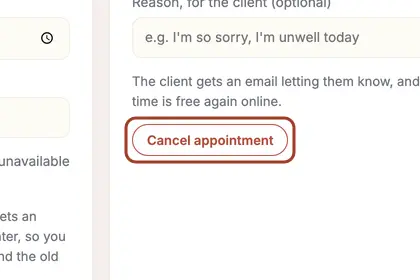
  4. Step 4: To cancel instead, tap the booking and press Open full record. In the Cancel box lower down, add a reason for the client if you like, then press Cancel appointment. The client is emailed and the time is free again online.

    To cancel instead, press "Cancel appointment" in the Cancel box of the full record.

Good to knowHide good to know

To change the treatment itself, cancel the booking and make a new one. You can also move a booking by pressing and holding it in your Diary and dragging it.

Every name in the pictures is made up.

Book a free 30-minute chat

By video. We send you a link; you just tap it.